Array

Array is an ordered, random-access collection type. Arrays are one of the most commonly used data types in an app. We use the Array type to hold elements of a single type, the array’s Element type. An array can store any kind.

Empty arrays

The following three declarations are equivalent:

// A mutable array of Strings, initially empty.

var arrayOfStrings: [String] = [] 

var arrayOfStrings = [String]() 

var arrayOfStrings = Array<String>()

Multi-dimensional arrays

A multidimensional array is created by nesting arrays.

2D Array

let twoDArray = [[Int]] or Array<Array<Int>>

3D Array

let threeDArray: [[[Int]]]

Modifying an Array

  1. Appending Elements
var numbers = [1, 2, 3] 

numbers.append(4) // [1, 2, 3, 4]
  1. Inserting Elements
numbers.insert(0, at: 0) // [0, 1, 2, 3, 4]
  1. Removing Elements
numbers.remove(at: 1) // Removes the second element (1) 
numbers.removeLast() // Removes the last element 
numbers.removeAll() // Empties the array
  1. Updating Elements
numbers[0] = 100 // Changes the first element to 100

Iterating Through an Array

  1. For Loop
for number in numbers { 
print(number) 
}
  1. For Loop with Index
for (index, value) in numbers.enumerated() { 
print("Index \(index): \(value)") 
}
Tuples

Tuples group multiple values into a single compound value. The values within a tuple can be of any type and do not have to be of the same type as each other.

let tuple = ("one", 2, "three")

// Values are read using index numbers starting at zero
print(tuple.0) // one
print(tuple.1) // 2
print(tuple.2) // three

Tuple with Multiple Types

let product = ("Laptop", 1500.99, true)
print(product)  // Output: ("Laptop", 1500.99, true)

Nested Tuples

Operators in Swift

Types of Operators

  • Assignment Operator
  • Arithmetic Operators
  • Compound Assignment Operators
  • Comparison Operators
  • Logical Operators
  • Ternary Conditional Operator
  • Range Operators
  • Nil-Coalescing Operator
  • Identity Operators
  • Bitwise Operators

1. Assignment Operator

Assigns the value on the right-hand side to the variable or constant on the left-hand side. (=)

 let x = 18 // Assigns 18 to x
 var y = 8
 y = x // Now y is equal to 18

2. Arithmetic Operators

Swift provides standard arithmetic operators for mathematical operations:

  • + (Addition): a + b
  • - (Subtraction): a - b
  • * (Multiplication): a * b
  • / (Division): a / b
  • % (Modulo): a % b (remainder of a divided by b)
let a = 15
let b = 4
print(a + b)  // Output: 19 (Addition)
print(a - b)  // Output: 11 (Subtraction)
print(a * b)  // Output: 60 (Multiplication)
print(a / b)  // Output: 3 (Division)
print(a % b)  // Output: 3 (Modulo)

3. Compound Assignment Operators

These combine an operation with assignment, allowing you to update a variable by performing an operation on it:

  • +=: a += b (Equivalent to a = a + b)
  • -=: a -= b
  • *=: a *= b
  • /=: a /= b
  • %=: a %= b
var x = 10
x += 5       // Equivalent to `x = x + 5`
print(x)     // Output: 15

x -= 3       // Equivalent to `x = x - 3`
print(x)     // Output: 12

x *= 2       // Equivalent to `x = x * 2`
print(x)     // Output: 24

x /= 4       // Equivalent to `x = x / 4`
print(x)     // Output: 6

x %= 5       // Equivalent to `x = x % 5`
print(x)     // Output: 1

Architecture Patterns

An architecture pattern, also known as a software architecture pattern, is a reusable solution to a commonly occurring problem in software design. It provides a predefined structure, guidelines, and best practices for organizing and building software systems. Architecture patterns help developers create scalable, maintainable, and modular applications by promoting separation of concerns, modularity, and reusability.

In iOS development, several architecture patterns are commonly used to structure and organize code in a scalable, maintainable, and modular way. Here are some popular architecture patterns used in iOS development:

In this tutorial we will discuss the commonly used patterns M.V.C, MV.V.M and V.I.P.E.R

1.MVC (Model-View-Controller):

  1. Model:
    • The Model represents the data and business logic of the application.
    • It encapsulates the application’s domain-specific data and behavior.
    • The Model is responsible for managing data, performing computations, and enforcing business rules.
    • It is independent of the user interface and does not directly interact with the View.
  2. View:
    • The View represents the user interface components of the application.
    • It displays data from the Model to the user and receives user input.
    • The View is passive and does not contain any business logic.
    • It observes changes in the Model and updates its presentation accordingly.
  3. Controller:
    • The Controller acts as an intermediary between the Model and the View.
    • It receives user input from the View, processes it, and interacts with the Model to perform business logic.

Drawbacks of MVC

  1. Massive View Controllers: In MVC, view controllers often become bloated with responsibilities because they handle both user interface logic and business logic. As the application grows, view controllers can become difficult to maintain and test.
  2. Tight Coupling: MVC can lead to tight coupling between the Model, View, and Controller components. Changes in one component may require modifications in others, making the codebase less flexible and more prone to errors.
  3. Limited Reusability: Components in MVC are often tightly coupled, making it challenging to reuse them in different parts of the application or in other projects. This lack of reusability can lead to code duplication and increased development time.
  4. Difficulty in Testing: Testing individual components in MVC, especially view controllers, can be challenging due to their tight coupling with other components. Unit testing becomes difficult, leading to a reliance on manual testing, which is time-consuming and error-prone.

Variables & Properties

Creating a Variable

Declare a new variable with var, followed by a name, type, and value:

var num: Int = 10

Variables can have their values changed:

num = 20 // num now equals 20

Unless they’re defined with let:

let num: Int = 10 // num cannot change

Property Observers

Property observers respond to changes to a property’s value.

var myProperty = 5 {

 willSet {

     print(“Will set to \(newValue). It was previously \(myProperty)”)

}

  didSet {

        print(“Did set to \(myProperty). It was previously \(oldValue)”)

} } 

myProperty = 6

// prints: Will set to 6, It was previously 5

willSet is called before myProperty is set. The new value is available as newValue, and the old value is still available as myProperty. 

didSet is called after myProperty is set. The old value is available as oldValue, and the new value is now available as myProperty . 

Lazy Stored Properties

Lazy stored properties have values that are not calculated until first accessed. This is useful for memory saving when the variable’s calculation is computationally expensive. 

lazy var lazyProperty: Int = {

        print(“Initializing lazy property”)

        return 42

}()

  • Lazy stored properties must be declared with var.
  • Lazy properties are particularly useful for optimizing performance by deferring the initialization of properties until they are actually needed

Computed Properties

Different from stored properties, computed properties are built with a getter and a setter, performing necessary code when accessed and set. Computed properties must define a type: 

var radius = 0.0

var circumference: Double {

return 2 * Double.pi * radius

}

Type Properties

Type properties are properties on the type itself, not on the instance. They can be both stored or computed properties. Declare a type property with static: 

struct Subject {

static var name = “Code with swift !”

}

print(Subject.name) // Prints “Code with swift !”

In a class, we can use the class keyword instead of static to make it overridable. However, we can only apply this on computed properties:

class Animal {

class var animal: String {

return “Animal”

}

}

class Dog: Animal {

override class var animal: String {

return “Dog”

}

}


Data Types

There are six basic types of data types in Swift programming.

  • Character
  • String
  • Integer
  • Float
  • Double
  • Boolean

Character

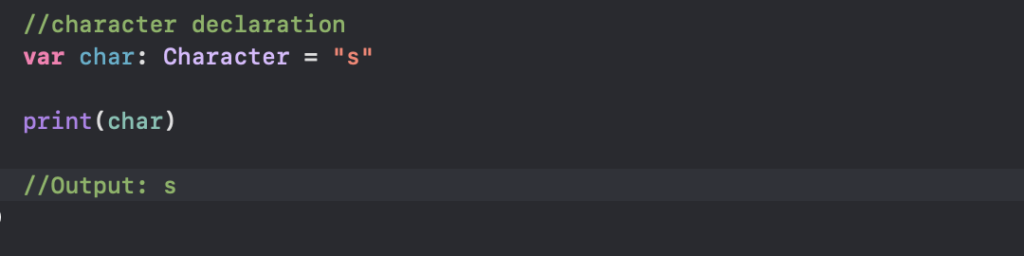
The character data type is used to represent a single-character string. We use the Character keyword to create character-type variables. For example

String

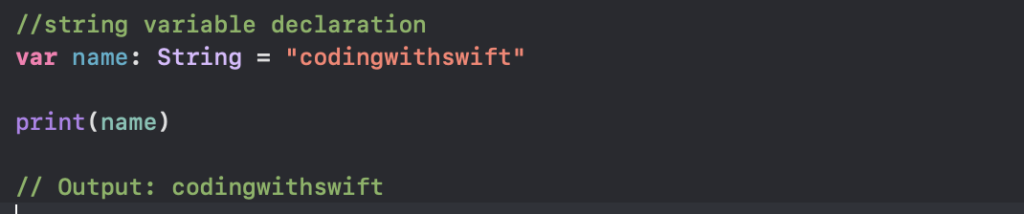
The string data type is used to represent textual data. We use the String keyword to create string-type variables.

String Interpolation

It allows injecting an expression directly into a string literal. This can be done with all types of values, including strings, integers, floating point numbers and more.

The syntax is a backslash followed by parentheses wrapping the value: \\(value). Any valid expression may appear in the parentheses, including function calls.

let number = 5

let interpolatedNumber = “\\(number)” // string is “5”

let fortyTwo = “\\(6 * 7)” // string is “42”

Concatenate strings

Concatenate strings with the + operator to produce a new string:

let name = “John”

let surname = “Appleseed”

let fullName = name + ” ” + surname // fullName is “John Appleseed”

Reversing Strings

let aString = “This is a test string.”

let reversedCharacters = aString.characters.reversed()

let reversedString = String(reversedCharacters)

Integer

Integer refers to a category of data types representing whole numbers. It’s a protocol that defines common behavior for integer types. Swift provides several built-in integer types, such as Int, Int8, Int16, Int32, Int64, UInt, UInt8, UInt16, UInt32, and UInt64

var integerNumber: Int = 10

var unsignedIntegerNumber: UInt = 20

OperationQueue

It’s built on top of Grand Central Dispatch (GCD) and provides a higher-level abstraction for managing concurrent operations.

It’s an abstract class and never used directly. We can make use of the system-defined BlockOperation subclass or by creating your own subclass and start an operation by adding it to an OperationQueue or by manually calling the start method.

The queue automatically manages the execution of operations, executing them in a FIFO (First-In, First-Out) order by default. However, we can change the priority of operations or cancel operations as needed

Operation Queues provide additional features such as built-in support for dependencies and cancelation, making them more suitable for managing complex workflows and operations.

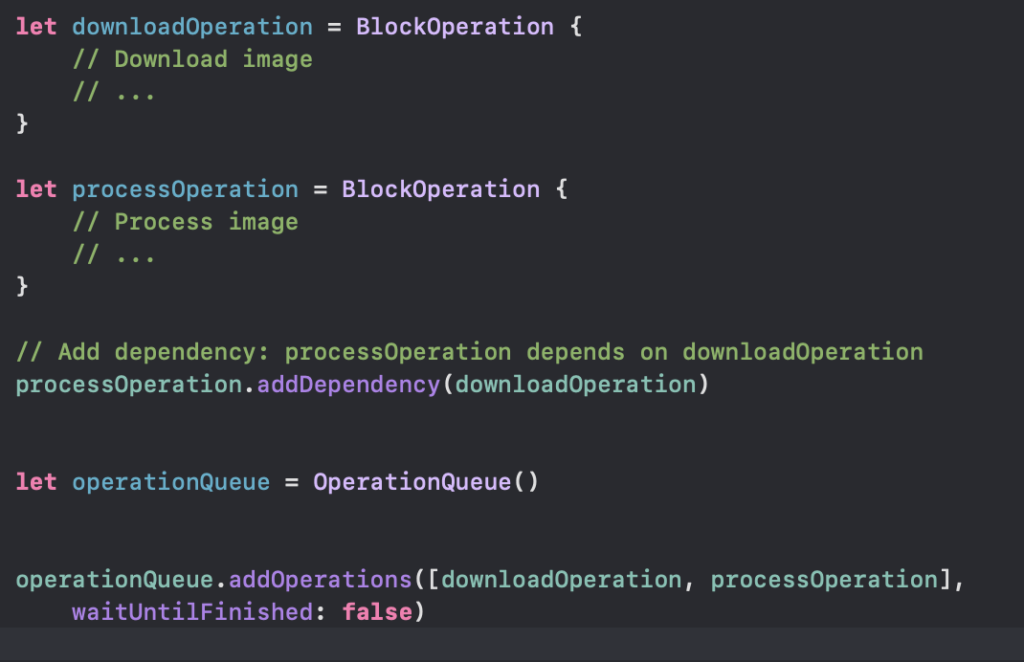
Scenario1:

Imagine you have two tasks: Task A downloads an image from a URL, and Task B processes the downloaded image. Task B should only execute after Task A has completed successfully.

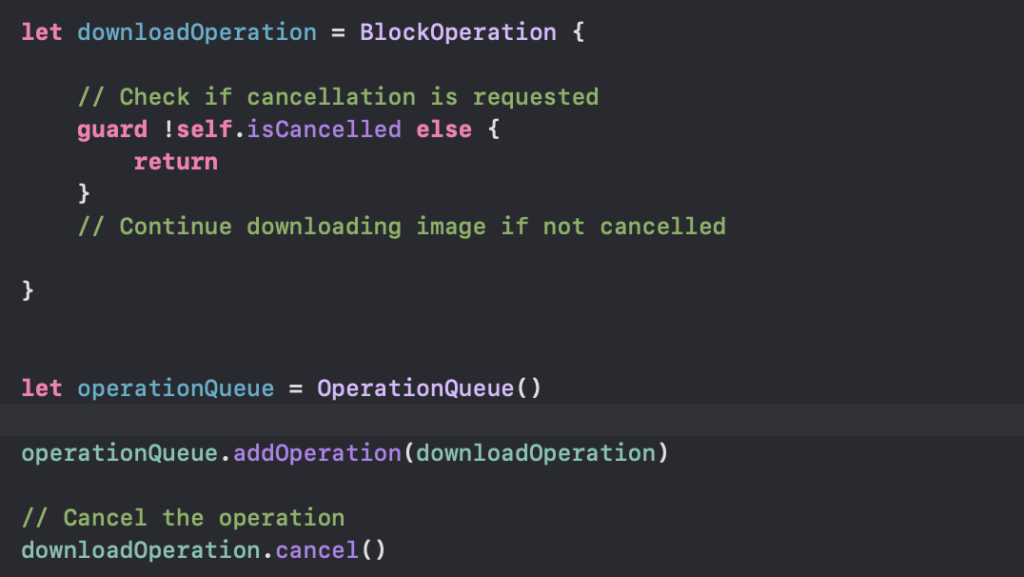
Scenario2:

Suppose the user decides to cancel the image downloading process while it’s in progress.

Explanation:

  • Dependency Creation: By using addDependency( ) method, you establish a dependency relationship between processOperation and downloadOperation. This ensures that processOperation will not start until downloadOperation finishes.
  • Cancellation: By calling the cancel() method on the operation, we can request the operation to cancel its execution. However, it’s important to note that this only sets the isCancelled property of the operation to true. It’s up to the operation to check this property periodically during its execution and abort if cancellation is requested.

Operation Queue offers powerful features for managing dependencies between operations and handling cancellation requests gracefully. These features are particularly useful in scenarios where tasks have complex interdependencies or when the user needs to interact with long-running operations.

GCD vs OperationQueue

GCD:

  • Doesn’t have built-in support for managing dependencies between tasks. We need to manually handle dependencies by using dispatch groups or nesting blocks.
  • Doesn’t have built-in support for cancellation. We need to explicitly check for cancellation within your blocks and return early if needed.

Operation Queue:

  • Offers built-in support for managing dependencies between operations using addDependency(_:) method. This makes it easier to define and manage complex task dependencies.
  • Provides built-in support for cancellation by setting the isCancelled property of operations. Operations can check this property periodically and abort their execution if cancellation is requested.

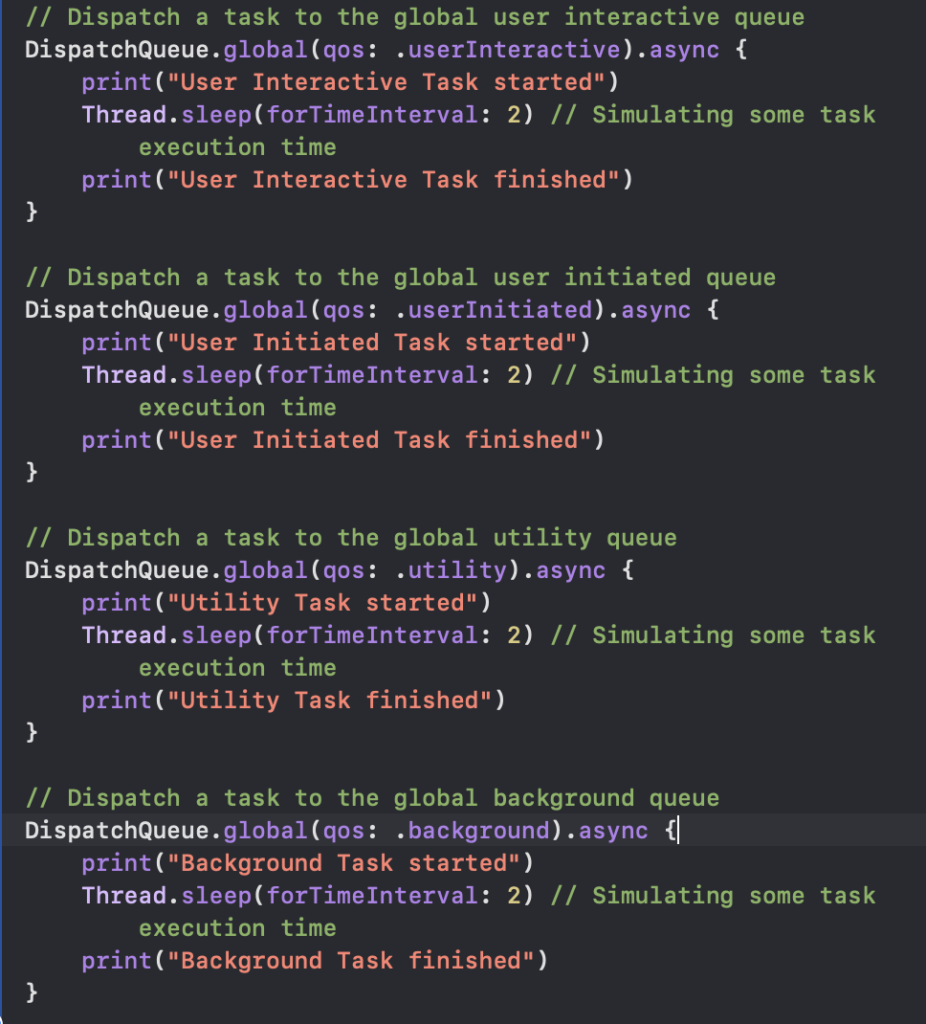
Global Dispatch Queues

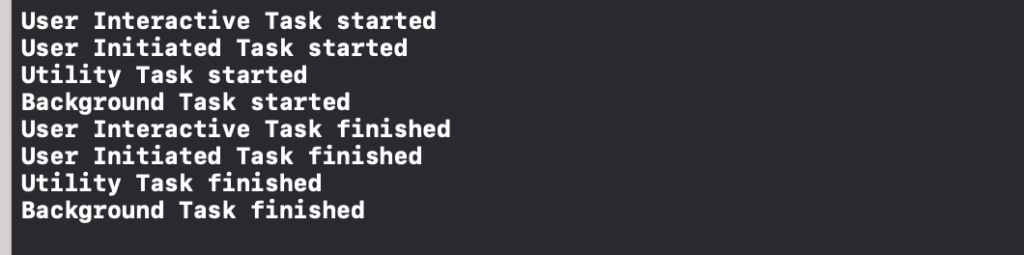
GCD provides a set of global dispatch queues that are managed by the system. These queues are categorised into different quality-of-service (QoS) classes, indicating their priority.

  • userInteractive: Highest priority, used for tasks that must be executed immediately to provide a smooth user experience.
  • userInitiated: High priority, used for tasks initiated by the user that require immediate results.
  • default: Default priority, used for tasks that are not time-critical but should be executed reasonably soon.
  • utility: Low priority, used for long-running tasks that are not time-sensitive, such as file I/O or network requests.
  • background: Lowest priority, used for tasks that can run in the background, such as data synchronisation or prefetching.

Main Dispatch Queue:

The Main Dispatch Queue is a special serial dispatch queue associated with the main thread of your application. It’s the primary queue for updating the user interface and handling events like user interactions.

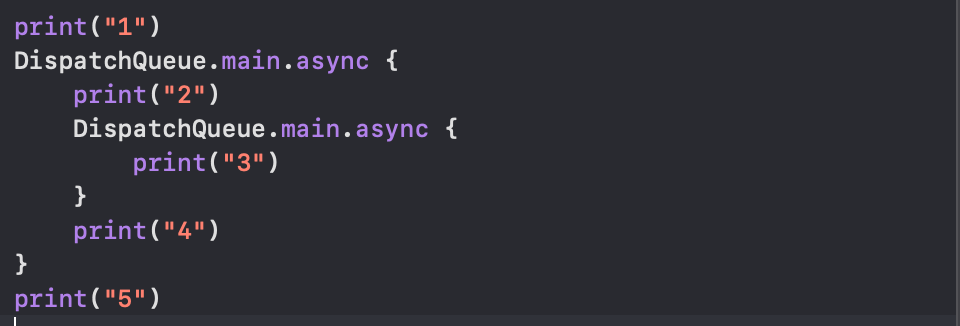
  1. print("1") is executed synchronously, printing “1” immediately.
  2. DispatchQueue.main.async is called to asynchronously execute the closure on the main queue.
  3. print("5") is executed synchronously after the async call, printing “5”.
  4. Inside the async closure:
    • print("2") is executed synchronously, printing “2”.
    • DispatchQueue.main.async is called again to asynchronously execute the inner closure on the main queue.
    • print("4") is executed synchronously after the async call, printing “4”.
  5. Inside the inner async closure:
    • print("3") is executed synchronously, printing “3”.
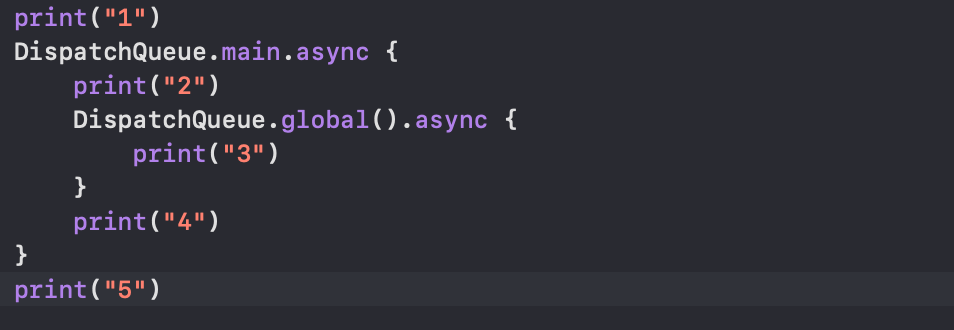
  1. print("1") is executed synchronously, printing “1” immediately.
  2. DispatchQueue.main.async is called to asynchronously execute the closure on the main queue.
  3. print("5") is executed synchronously after the async call, printing “5”.
  4. Inside the async closure:
    • print("2") is executed synchronously, printing “2”.
    • DispatchQueue.global().async is called to asynchronously execute the closure on the global queue.
    • print("4") is executed synchronously after the async call, printing “4”.
  5. print("3") is not guaranteed to be executed before “4” because it’s scheduled asynchronously on the global queue, which may take some time to execute.

Explaination:

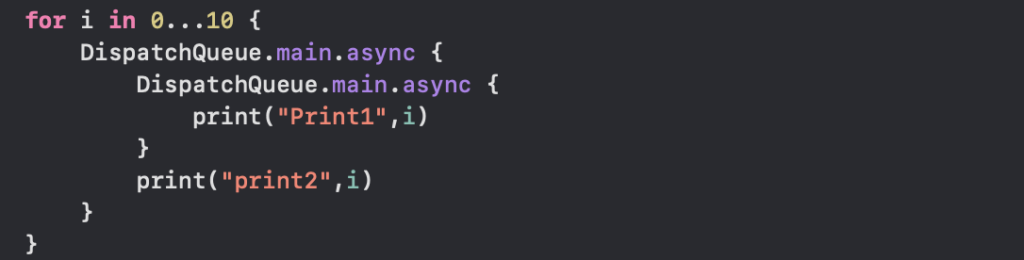
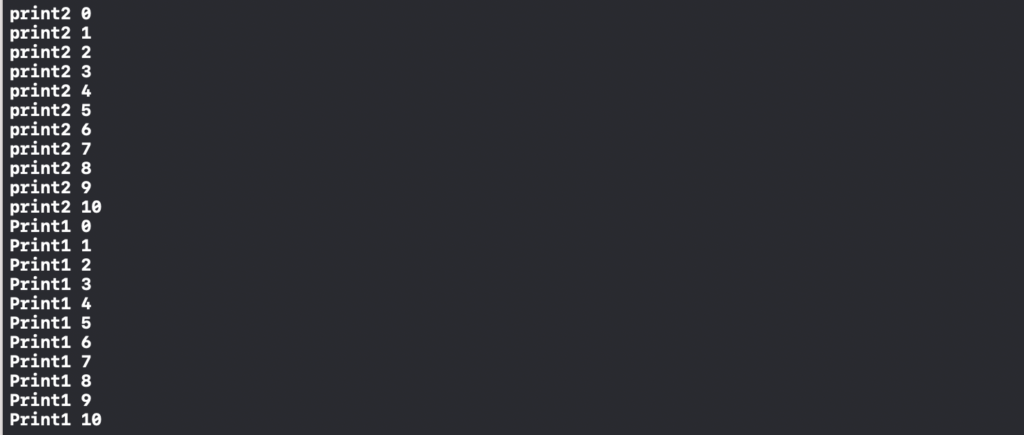
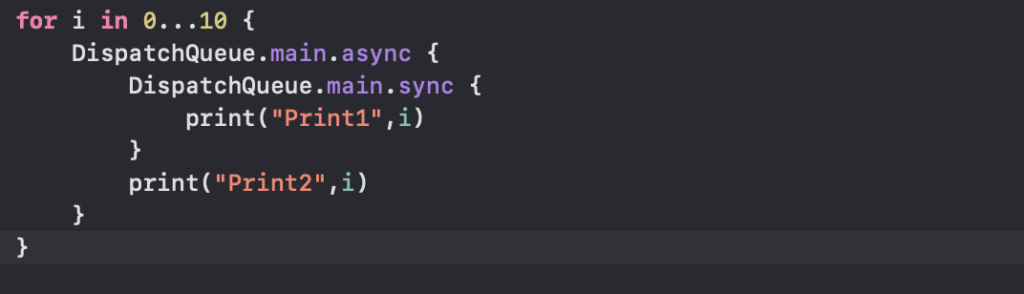
  1. The outer block (print2) will execute first because it’s dispatched before the inner block (Print1).
  2. The inner block (Print1) will execute after the outer block because it’s nested within it.

Dispatch.main is a serial queue which has single thread to execute all the operations. If we call sync on this queue it will block all other operations currently running on the thread and try to execute the code block inside sync whatever you have written. This results in “deadlock” and app will get crash.

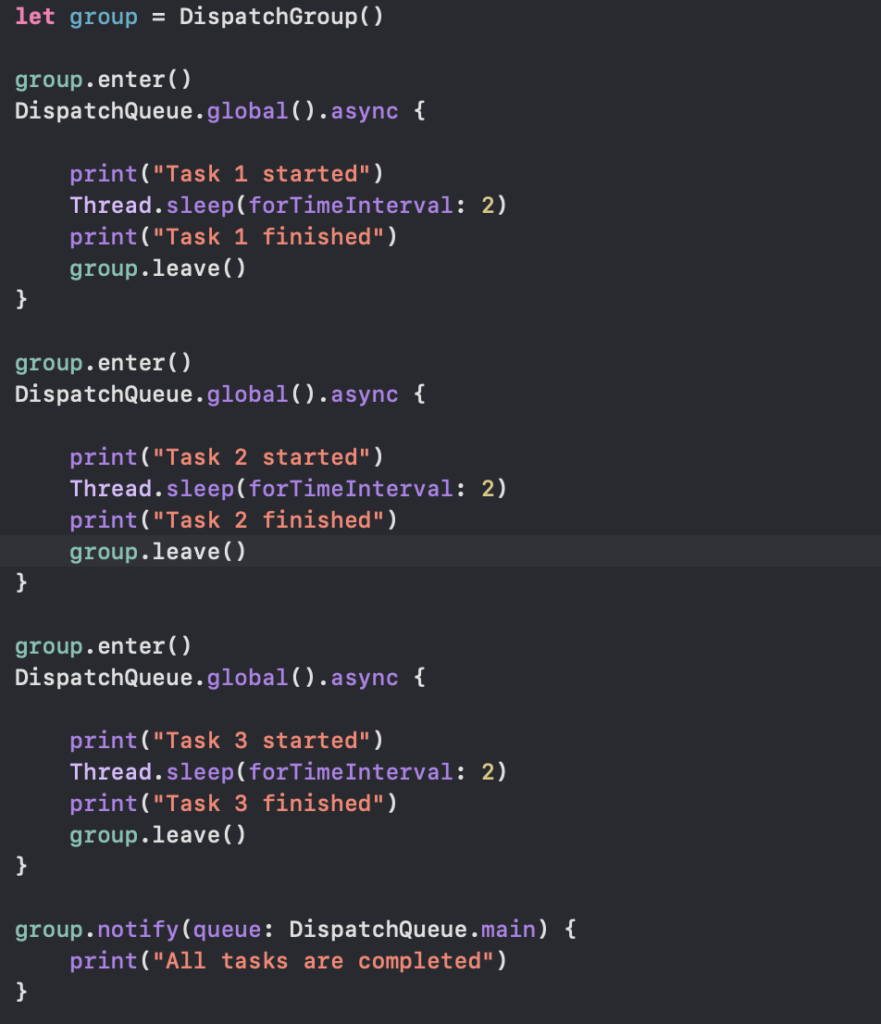
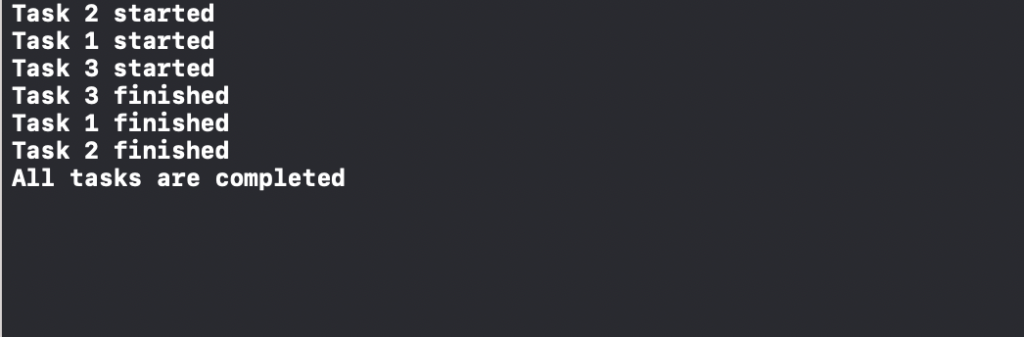
Dispatch Groups

Dispatch groups provide a way to monitor the completion of multiple tasks dispatched asynchronously. They allow you to wait until all tasks in the group have finished executing before continuing with further code.

Grand Central Dispatch (GCD)

Grand Central Dispatch is a low-level API provided by Apple for managing concurrent operations. GCD abstracts away many of the complexities of thread management and provides a simple and efficient way to execute tasks concurrently.

It provides a set of APIs for managing tasks and executing them concurrently on multicore hardware. GCD helps developers to create responsive and scalable applications by offloading time-consuming tasks to background threads, thus keeping the main thread free to handle user interactions.

There are two types of dispatch queues:

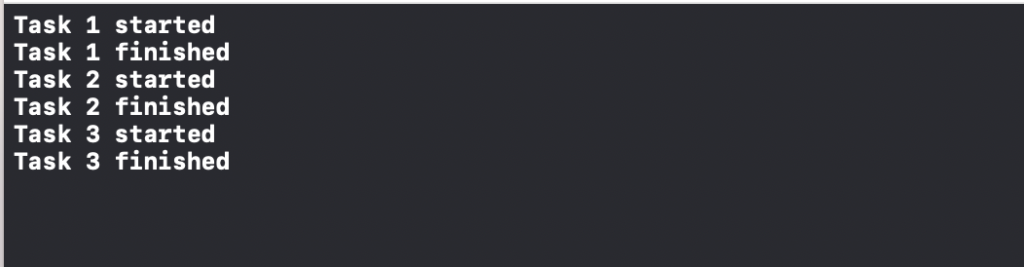
  • Serial Queues: Executes tasks one at a time in the order they are added to the queue. Tasks in a serial queue are guaranteed to run sequentially.
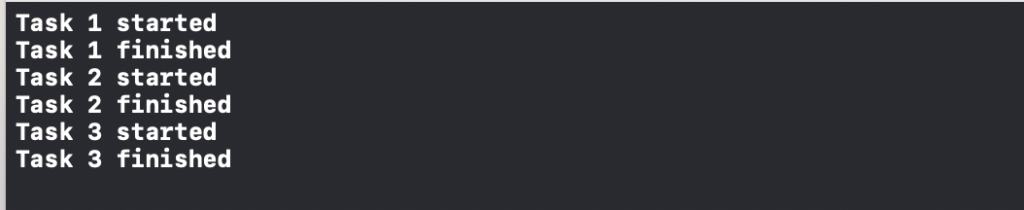
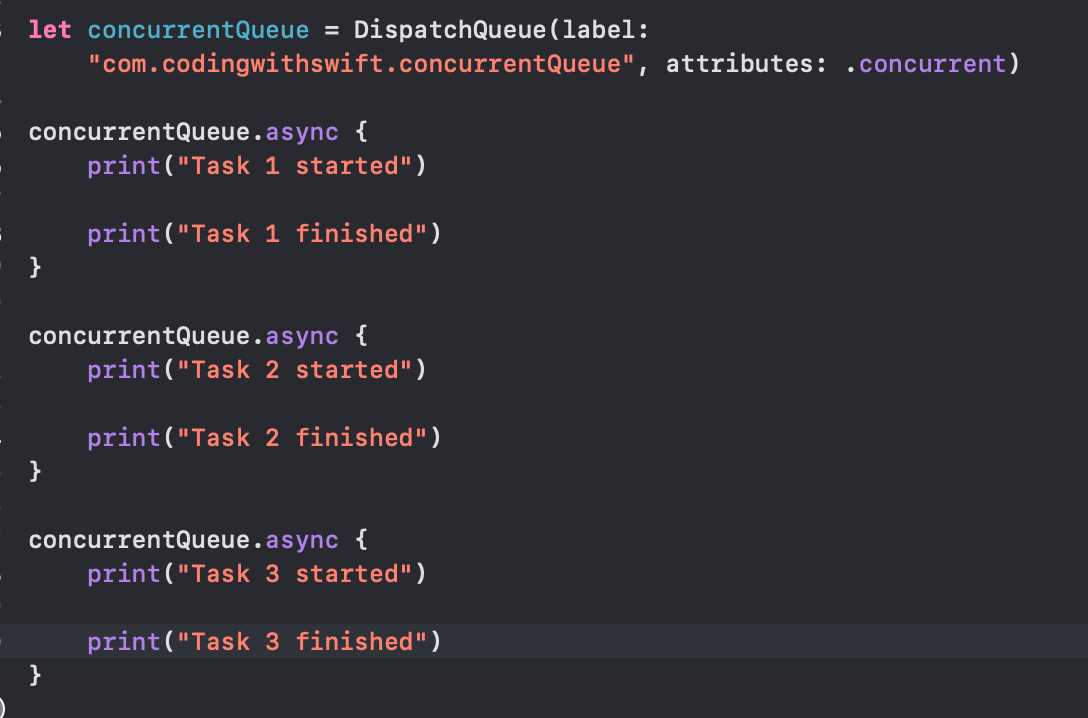
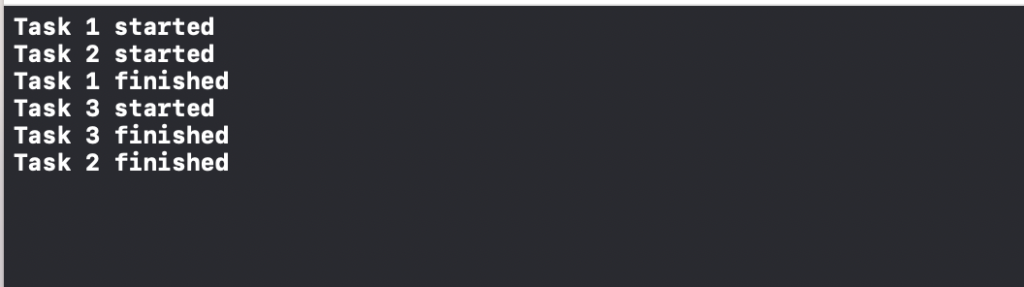
  • Concurrent Queues: Can execute multiple tasks concurrently. Tasks may start and finish in any order.

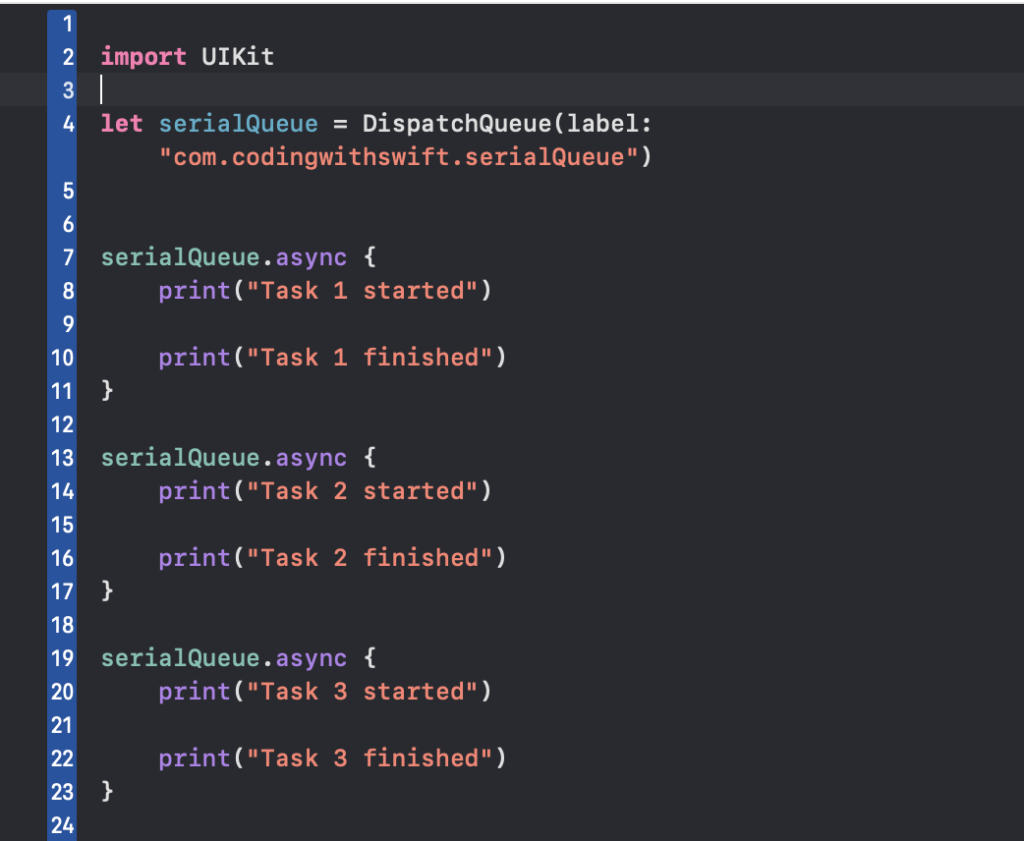
Serial Queues

A serial queue is a type of dispatch queue in Grand Central Dispatch (GCD) that executes tasks in a FIFO (first-in, first-out) order. This means that tasks added to the queue are executed one at a time, in the order in which they were added.

Serial queues are useful when you want to ensure that tasks are executed sequentially, avoiding concurrency issues such as race conditions.

Concurrent Queues

A concurrent queue in Swift allows multiple tasks to be executed concurrently, meaning they can run simultaneously. Unlike serial queues, tasks in a concurrent queue can start and finish in any order.

Concurrency & Multithreading

Thread

A thread is the smallest unit of execution within a process. It represents a single sequence of instructions that can be scheduled and executed independently by the operating system’s scheduler.

Multithreading

The term “multithreading” refers to the use of multiple threads within a single process. Multithreading allows different parts of a program to execute concurrently and share resources such as memory and I/O devices.

Parallelism

Threads enable parallelism by executing multiple tasks simultaneously on multicore processors. By utilizing multiple threads, applications can take advantage of the available CPU cores to improve performance and responsiveness.

Thread Safety

When multiple threads access shared resources concurrently, it’s essential to ensure thread safety to avoid race conditions and data corruption. Synchronization mechanisms such as locks, semaphores, and atomic operations are used to coordinate access to shared resources and prevent conflicts between threads.

Sync

In synchronous programming, tasks are executed sequentially, one after the other. Each task must wait for the previous one to complete before it can start. Synchronous operations block the execution of the program until they are finished, meaning that the program waits for the operation to complete before moving on to the next task.

Async

In asynchronous programming, tasks can be executed concurrently or in parallel, allowing the program to continue executing other tasks while waiting for certain operations to complete. Asynchronous operations do not block the execution of the program. Instead, they execute in the background, and the program can continue performing other tasks while waiting for the asynchronous operation to finish.

Race Condition

 A race condition occurs when two tasks are executed concurrently, when they should be executed sequentially in order to be done correctly. You cant change view constraint while it is being calculated. So UI activity should be done in main thread so it is executed sequentially.

To achieve concurrency in iOS there are 2 build in APIs available

  1. GCD
  2. NSOPERATIONQUEUE